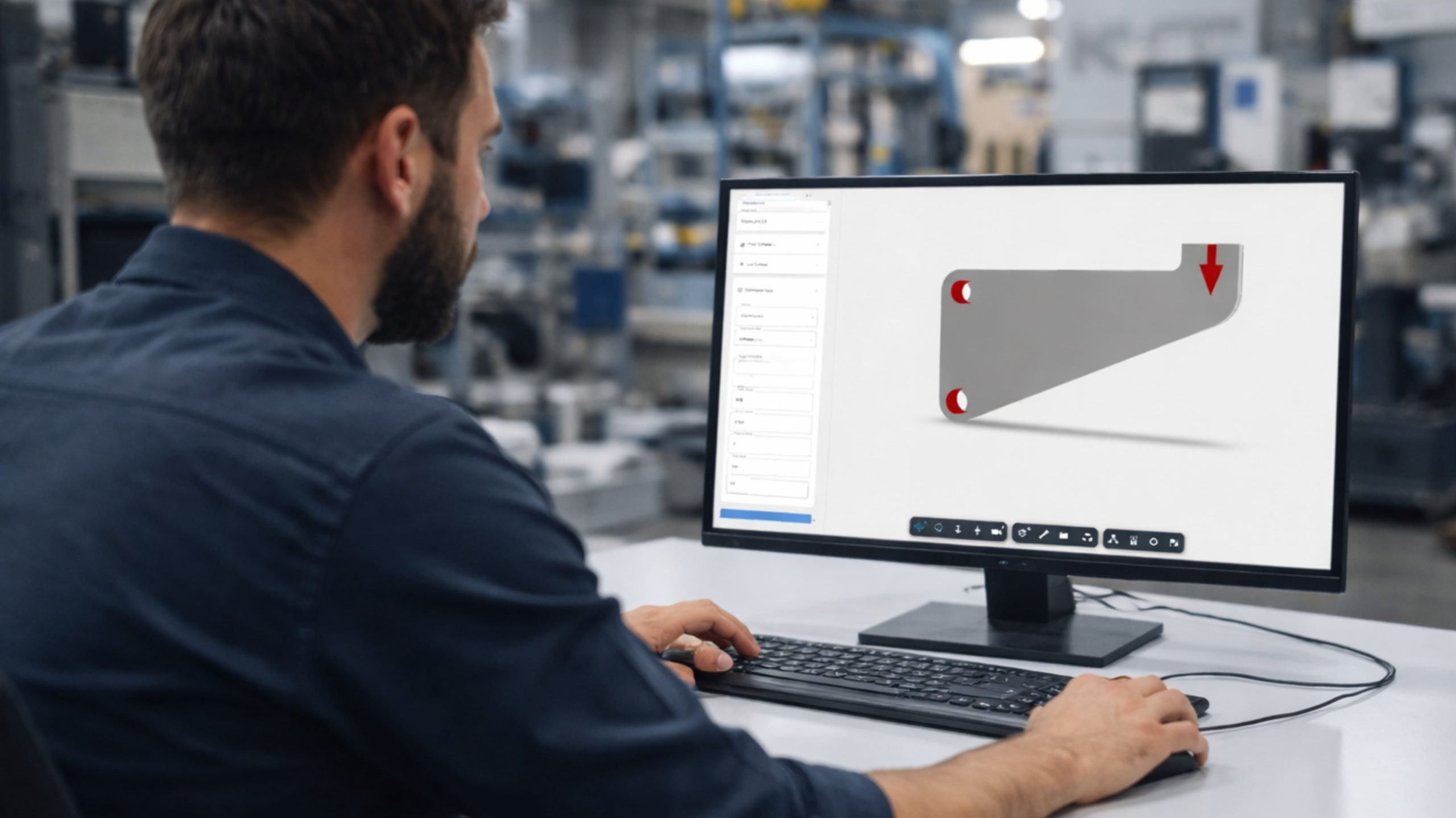
Reduce material, volume, and cost—without compromising structural performance.
CCTech’s Topology Optimization platform enables engineers to upload CAD models directly into an Autodesk Platform Services (APS) web viewer, define engineering constraints and objectives, and generate optimized design concepts that retain only load-bearing material.
By eliminating unnecessary mass early in the design phase, teams achieve lighter components, lower material usage, reduced manufacturing costs, and improved performance through a guided, browser-based workflow—without manual rework or trial-and-error modeling.
This enables engineering teams to make informed, performance-backed design decisions at the concept stage, reducing downstream redesign cycles and accelerating the path from feasibility to production-ready designs.
Lighter components
Lower material usage
Reduced manufacturing costs
Improved performance
How the platform works
CCTech Configuration & Deliverables
A guided, browser-based workflow inside the APS web viewer—from CAD upload to feasible engineering output.
Step 01
Seamless upload of CAD Model via APS Viewer
Engineers securely upload CAD models into the APS web viewer without local installations. Native geometry is streamed and visualized directly in the browser.
Step 02
Define Design & Preserve Regions
Users interactively select optimization regions and preserve functional interfaces such as mounting points, holes, and connection faces within the viewer.
Step 03
Specific Boundary Conditions & Constraints
Loads, fixtures, symmetry conditions, material properties, and target mass are defined through a guided UI, aligned with engineering intent.
Step 04
Topology Optimization
The optimization engine executes multiple Finite Element Analysis (FEA)-driven iterations in the background, evolving material distribution based on defined objectives.
Step 05
Evaluation of Optimized Results
Original and optimized geometries are compared side-by-side in the same APS viewer, enabling clear evaluation of performance gains.
Step 06
Feasible Output Exportation
Optimized geometry and a detailed engineering report are exported for downstream CAD remodeling or manufacturing validation.
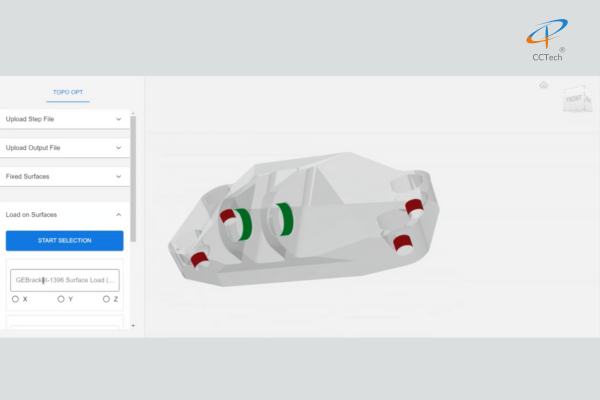
Steps 01–03 · Set up in the APS viewer
Configure the optimization problem
Upload the model, preserve functional regions, and apply fixed surfaces and loads through the guided TOPO OPT panel.
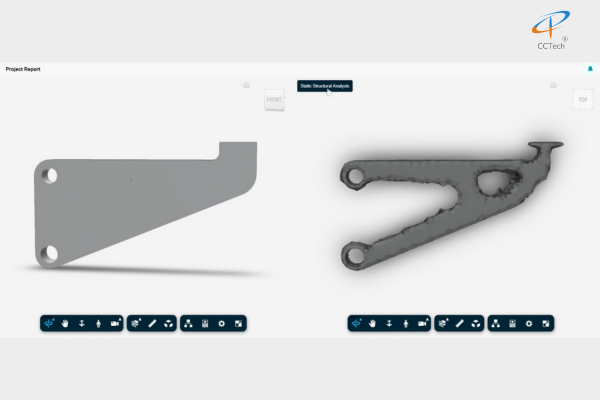
Steps 04–06 · Optimize, evaluate, export
Original vs. optimized, side-by-side
Original and optimized geometries are compared in the same APS viewer before the optimized geometry and engineering report are exported.
The technology
Topology Optimization Technology
Simulation-validated optimization, driven by the BESO algorithm and iterative finite element analysis.
BESO Algorithm
The platform is powered by the Bidirectional Evolutionary Structural Optimization (BESO) algorithm, which incrementally removes and adds material based on structural efficiency.
Iterative FEA-Driven Process
Each optimization cycle runs finite element analysis to evaluate stress, stiffness, and load paths, ensuring decisions are simulation-validated.
Material Evolution Strategy
Material is gradually redistributed across iterations until optimization objectives—such as target weight or stiffness—are achieved.
Load-Path-Driven Designs
The resulting geometries naturally follow load paths, producing structurally efficient designs rather than arbitrary organic shapes.
Autodesk Platform Services
One APS-Powered Workflow, End to End
CAD models are uploaded, configured, optimized, evaluated and exported without leaving the browser—native geometry is streamed and visualized directly in the APS web viewer, with no local installations.
CAD Model
Native CAD geometry
APS Viewer
Browser-based visualization
Optimization
FEA-driven BESO iterations
Evaluation
Side-by-side comparison
Engineering Output
Geometry + engineering report
Outcomes
Outcomes and Benefits
Cost & Material Efficiency
Significant material and volume reduction leading to direct cost savings
Lower raw material usage and reduced manufacturing time
Performance & Manufacturability
Weight optimization while maintaining stiffness and load-bearing performance
Manufacturing-aware constraints for additive and subtractive processes
Actionable Engineering Outputs
Side-by-side comparison of original and optimized designs in APS viewer
Engineering reports with traceable objectives, constraints, and savings
Key applications
Key Applications
From additive manufacturing to early-stage design exploration—engineering use cases for lightweight, performance-driven design.
Application 01
Topology Optimization for Metal 3D Printing
Enables engineers to fully leverage additive manufacturing through lightweight, performance-driven geometries.
Organic shapes not feasible with conventional machining
Overhang and minimum thickness constraints for printability
Reduced material usage and build time
Ideal for aerospace, automotive, tooling, and high-performance brackets
Application 02
Lightweighting of Machined & Cast Parts
Optimizes traditional components by removing excess material while preserving functional interfaces.
Input-driven optimization for brackets, mounts, frames, and housings
Designs remodeled for CNC machining or casting workflows
Improved strength-to-weight ratios
Application 03
Early-Stage Design Exploration
Supports rapid evaluation of multiple design concepts before detailed CAD modeling.
Compare multiple optimized variants quickly
Validate feasibility early in the design cycle
Reduced material usage and build time
Reduces downstream rework and over-engineering
Value engineering
Cost Reduction & Value Engineering
Drives systematic cost savings through material and performance optimization.
Lower raw material consumption
Improved performance per unit weight
Faster iteration cycles for evaluating alternatives
Why CCTech
Why Choose CCTech
Engineering depth and Autodesk Platform Services expertise, delivered as a secure, browser-based optimization platform.
APS-Native Web Platform
Deep customization of APS viewer and cloud workflows for secure, scalable, browser-based engineering solutions.
Engineering-First Topology Optimization
Focus on real-world constraints, load cases, and manufacturability—not just theoretical optimization shapes.
Simulation-Driven Confidence
All optimization outcomes are validated through iterative FEA, ensuring engineering credibility.
Enterprise-Ready Architecture
Built for traceability, repeatability, and scalability across teams, projects, and programs.
Start the conversation
Discuss Your Topology Optimization Workflow
Talk to CCTech about bringing APS-powered topology optimization—real-world constraints, load cases and manufacturability—into your engineering design process.