Manufacturing Engineering Intelligence

Scan to BIM – Manufacturing Layout Intelligence Platform

Mobile Reality Capture to Intelligent CAD & BIM Layouts

Our platform is a manufacturing-focused solution that converts real factory conditions into accurate, engineering-ready CAD and Building Information Modeling (BIM) layouts — helping teams plan equipment placement, piping, and HVAC layouts directly on real site geometry.

Physical FactoryDigital RealityLayout Intelligence
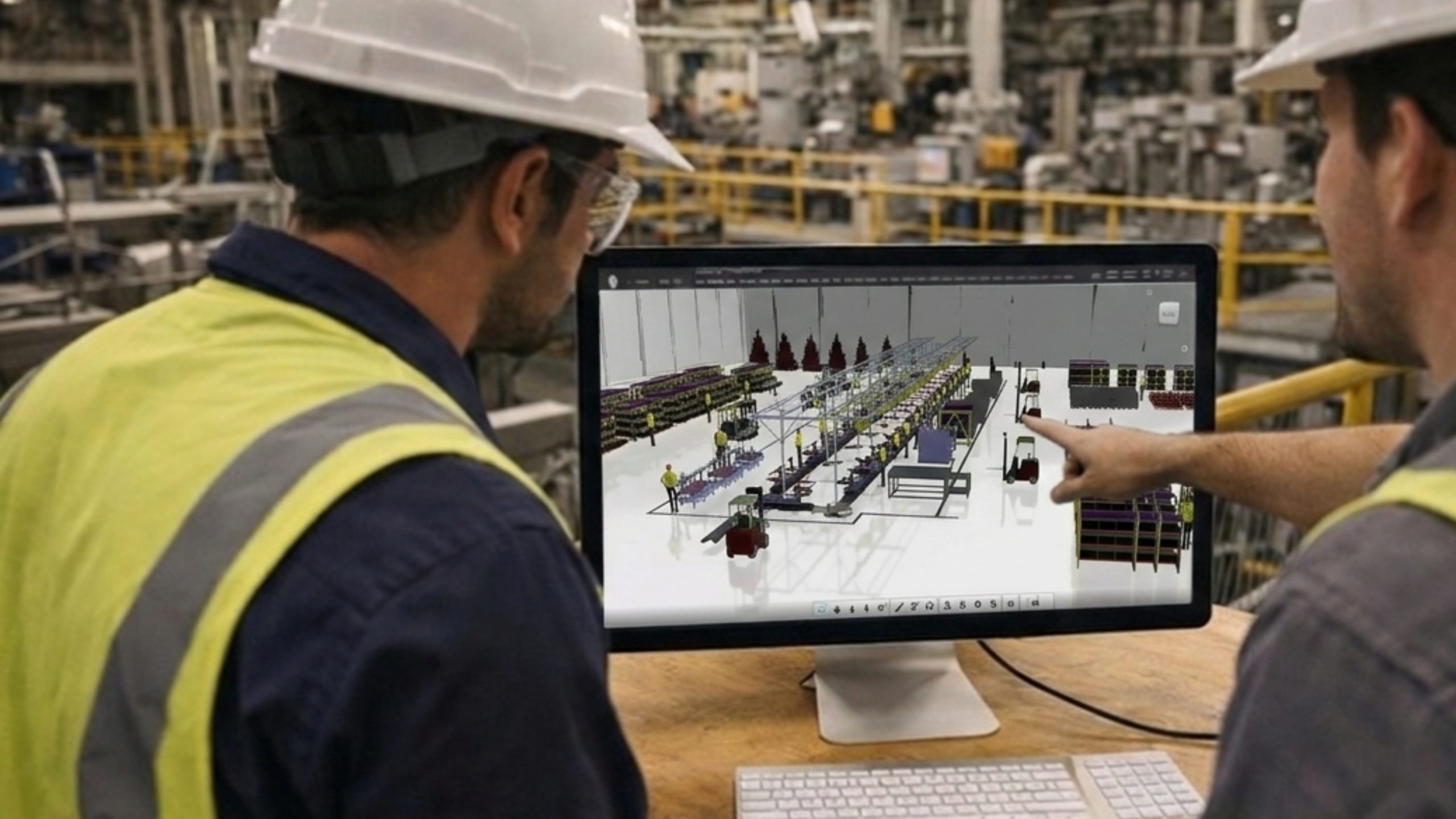
Engineers reviewing a Scan to BIM digital factory layout with equipment and conveyors on screen inside a manufacturing plant

The Platform

From Real Factory Conditions to Engineering-Ready CAD & BIM Layouts

It is a manufacturing-focused solution that converts real factory conditions into accurate, engineering-ready CAD and Building Information Modeling (BIM) layouts. Using mobile Light Detection and Ranging (LiDAR) scanning, photogrammetry, indoor positioning, and rule-driven layout logic, the platform helps teams plan equipment placement, piping, and HVAC layouts directly on real site geometry and seamlessly hand off validated data to BIM tools.

Designed for fast-changing manufacturing environments, CCTech delivers Scan to BIM as an end-to-end intelligence platform service. This platform helps avoid unnecessary rework, layout clashes, and delayed decisions due to manual measurements and outdated manufacturing layouts.

AvoidUnnecessary rework
AvoidLayout clashes
AvoidDelayed decisions

Core Capabilities

The Scan-to-BIM Journey: From Reality Capture to Layout Intelligence

Each capability is a stage in one connected pipeline — capturing the real factory, building its digital context, and turning it into validated, shareable manufacturing layouts.

Capture the real factory
Mobile reality capture icon
STAGE 01Capture

Mobile Reality Capture & Spatial Context Modeling

Factory interiors are captured using mobile LiDAR scanning & photogrammetry through mobile, web, & desktop. Our platform converts raw scans in measurable 3D models with an accurate spatial foundation.

Mobile LiDAR scanningPhotogrammetryMobile · Web · DesktopMeasurable 3D models
Indoor positioning and path tracking icon
STAGE 02Position

Indoor Positioning & Path Tracking

High positional accuracy is maintained through IMU and Visual Inertial Odometry (VIO). The indoor path, alignment, and drift are tracked and corrected using sensor fusion, without utilizing GPS.

IMUVisual Inertial Odometry (VIO)Sensor fusionNo GPS required
Asset, equipment and constraint mapping icon
STAGE 03Map

Asset, Equipment & Constraint Mapping

Structured layouts are designed by identifying obstructions and no-go zones. The equipment, utilities, and obstructions are positioned into usable layouts. Reusable assets and libraries contain metadata, notes, and site images for downstream layout validation.

Factory environmentObstructions & no-go zonesEquipment & utilitiesUsable layout context
Layout authoring, validation and outputs icon
STAGE 04Author & Validate

Manufacturing Layout Authoring, Validation & Outputs

Early pipe/duct layout through a skeleton modeling approach. Angle snapping with dimension measurement yields output data, including pipe diameter calculations, pressure drop calculations, & BOM.

AuthorValidateGenerate engineering outputs
AAuthor
Skeleton layout

Early pipe/duct layout through a skeleton modeling approach.

BValidate
Angle snapping & dimensions

Angle snapping with dimension measurement during layout authoring.

COutput
  • Pipe diametercalculated
  • Pressure dropcalculated
  • Bill of MaterialsBOM
Engineering output data

Output data generated from the authored pipe/duct layout.

CAD, BIM and web-based collaboration icon
STAGE 05Collaborate

CAD, BIM & Web-Based Collaboration

Our Scan to BIM service platform provides seamless hand-off layouts into CAD and BIM tools using web browser-based visualization. The scans, drawings, BOMs, and layouts are reviewed through centralized dashboards and role-based access. The platform provides multi-language user interfaces and configurable language packs per deployment.

Browser-based visualizationCentralized dashboardsRole-based accessConfigurable language packs
STAGE 06Intelligence

Manufacturing Layout Intelligence

Our manufacturing layout intelligence platform supports multiple layout scenarios, evaluates spatial feasibility early, and validates routing constraints. It is ideal for brownfield and retrofit projects.

  • 01Reality capture & 3D context
  • 02Indoor positioning
  • 03Assets, equipment & constraints
  • 04Layout authoring & outputs
  • 05CAD / BIM collaboration
Manufacturing layout intelligence icon
Stage 06 Manufacturing Layout Intelligence
  • Supports multiple layout scenarios
  • Evaluates spatial feasibility early
  • Validates routing constraints
  • Ideal for brownfield & retrofit projects
STAGE 07Execute

Execution Workflow

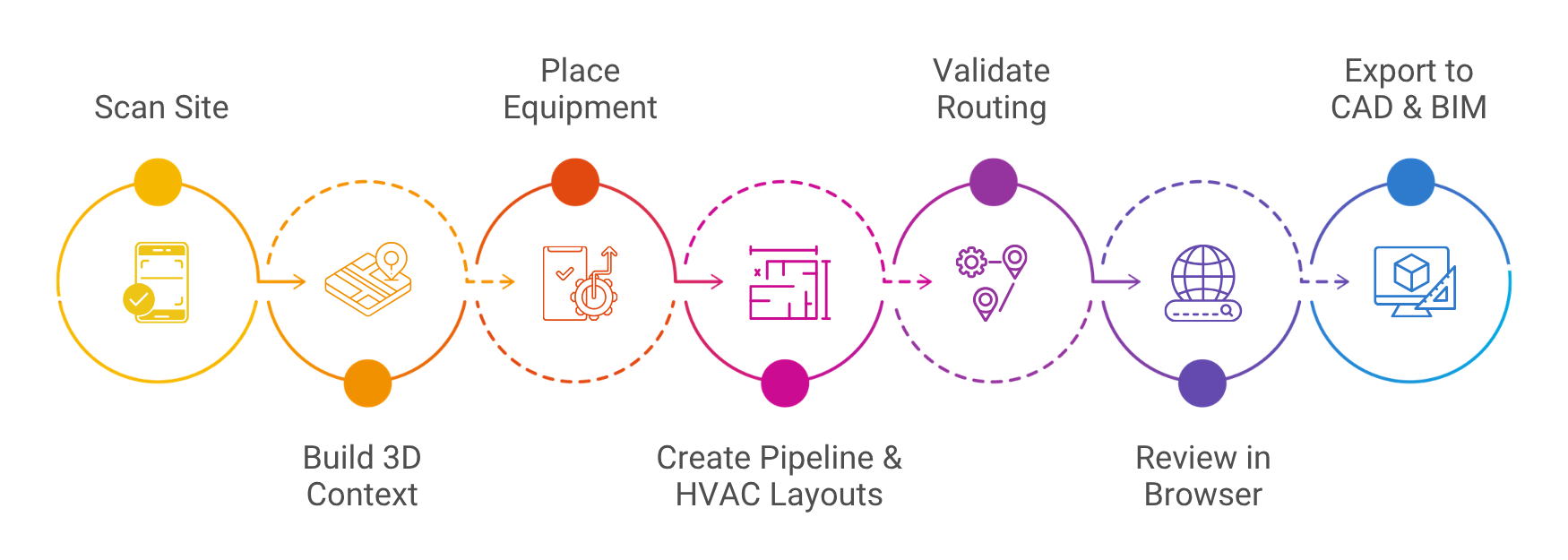
Seven connected steps take the platform from a site scan to validated CAD & BIM exports.

Scan to BIM execution workflow: Scan Site, Build 3D Context, Place Equipment, Create Pipeline and HVAC Layouts, Validate Routing, Review in Browser, Export to CAD and BIM
  1. 1Scan Site
  2. 2Build 3D Context
  3. 3Place Equipment
  4. 4Create Pipeline & HVAC Layouts
  5. 5Validate Routing
  6. 6Review in Browser
  7. 7Export to CAD & BIM

Where it applies

Manufacturing Use Cases

Why it matters

Key Business Benefits

Scan to BIMLayout IntelligenceValidated LayoutsExecution

Turn Real Factory Conditions into Manufacturing Layout Intelligence

Plan equipment placement, piping, and HVAC layouts directly on real site geometry — and hand off validated data to CAD and BIM tools.