AUTODESK MIGRATION SERVICES

Move Every Project from BIM 360 to Autodesk Forma — Without Missing a Version

CCTech’s automation-based migration engine carries your files, version history, metadata, users, and permissions from BIM 360 into Forma — and between Forma hubs — with zero disruption to live projects.

WHY THIS MIGRATION MATTERS

Why Every AEC Firm Is Making This Move

Autodesk is consolidating BIM 360, Revit, Navisworks, Plant 3D, and IFC workflows into a single connected platform — Autodesk Forma. That shift means every active BIM 360 environment eventually needs to move, and every ownership change across regions brings a Forma-to-Forma handover too. Either way, the same things are on the line: massive data volumes, deep version history, intricate metadata and permission structures, tight downtime windows, and regional data sovereignty rules.

Revit

Navisworks

Plant 3D

IFC

Autodesk Forma

THE OBSTACLES

What Makes This Migration Hard

Thousands of Revit, Navisworks, Plant 3D, and IFC files, plus their full version history, have to move without flattening or performance loss.
Manual export-and-reupload approaches introduce data inconsistencies, downtime, and broken project workflows.
Users, companies, and permission structures rarely match between source and target Forma subscriptions, so a like-for-like copy breaks folder-level access.
Cross-region hubs across the US, EU, and APAC bring data residency rules and latency limits, and every migration window has to avoid disrupting a live project.

THE CCTECH APPROACH

One Engine, Three Migration Paths

Built on Autodesk Platform Services (APS) APIs, CCTech’s proprietary migration toolkit runs the same secure, high-speed, and auditable engine across three scenarios — so every migration inherits the same reliability guarantees.
01

BIM 360 → Forma

Move active BIM 360 projects into Forma with full structure, version, and metadata continuity.
02

Forma → Forma

Transfer project ownership between Forma subscriptions during handovers or organizational change.
03

Hub → Hub

Relocate projects across regional Autodesk hubs while respecting data residency rules.

MIGRATION PATH 01

Autodesk BIM 360 → Autodesk Forma

A straight lift-and-shift isn’t enough. Active projects need to land in Forma with every version, model, and metadata field intact — without the data inconsistencies and downtime that come from manual export-and-reupload approaches.

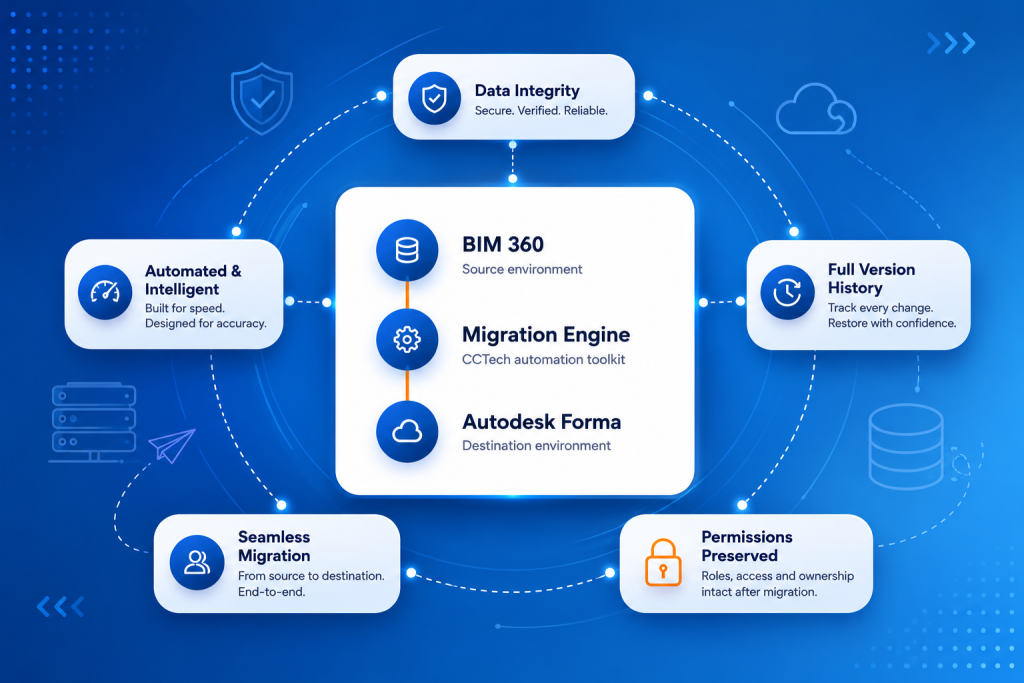
BIM 360

Migration Engine

Autodesk Forma

BIM 360 to Forma Migration

MIGRATION PATH 02

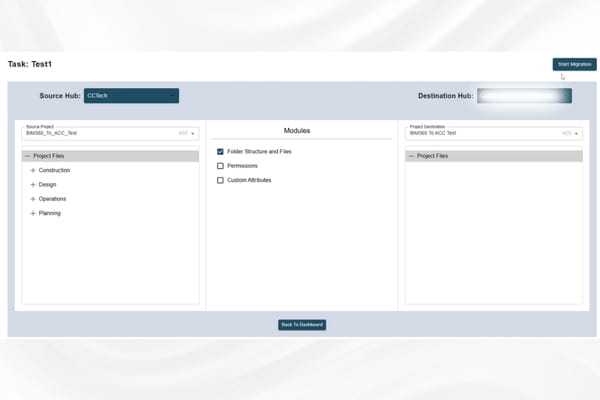
Forma → Forma Cross-Instance Migration

Project handovers and organizational changes often mean data has to move between the contractor’s and the owner’s Forma subscriptions. Differences in user roles, companies, and permission structures make a direct transfer difficult.

Source Hub

Secure Migration

Target Hub

MIGRATION PATH 03

Cross-Region Hub Migration

Global projects must support regional data residency requirements. Standard migration tools fall short on performance, latency, and regional scheduling constraints.

US

Americas Hub

EU

Europe Hub

APAC

Asia-Pacific Hub

Region-Aware Workflows

Migration paths built across Autodesk regional hubs while respecting local hosting constraints.

API Throughput Optimization

Transfer rates tuned to maximize throughput across long-haul regional connections.

Downtime-Minimized Execution

Migration windows scheduled outside working hours so live projects are never interrupted.

THE AUTOMATION ENGINE

The Engine Behind Every Migration

Manual or generic migration tools aren’t built for large BIM environments with thousands of files and complex version histories — or for selective control over exactly what moves and when.

Modular Migration Toolkit

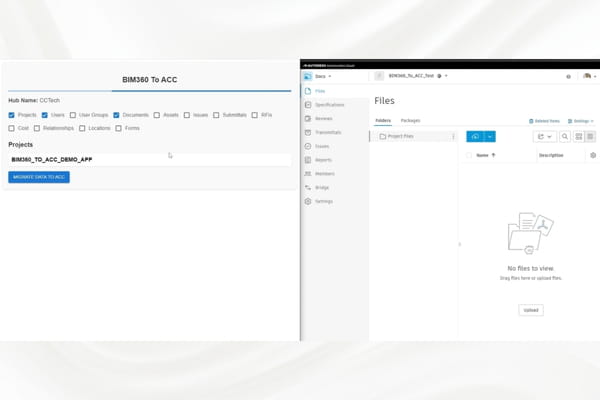
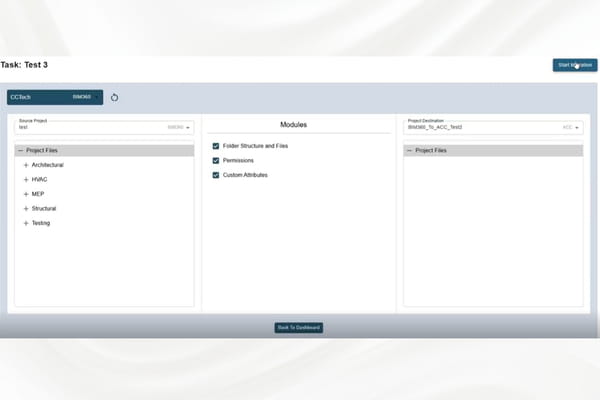
Files, versions, metadata, users, and permissions each migrate through configurable, independent modules.

High-Performance Automation Engine

Built on Autodesk Platform Services APIs to deliver faster, more reliable migrations at scale.

Enterprise-Ready Scalability

Runs equally well for a single project or a multi-project, portfolio-wide migration program.
BIM 360 Migration toolkit

WHAT WE MIGRATE

Six Things That Have to Arrive Intact

Files

Drawings, sheets, and models transferred without re-upload or format loss.

Versions

Complete version history carried across, so nothing in the audit trail goes missing.

Metadata

Attributes and properties mapped and validated to keep downstream workflows working.

Users

People and organizations re-created and matched correctly in the destination environment.

Permissions

Roles and access rights re-applied under the target hub’s governance rules.

Project Structure

Folder hierarchies and project configuration preserved exactly as defined in the source.

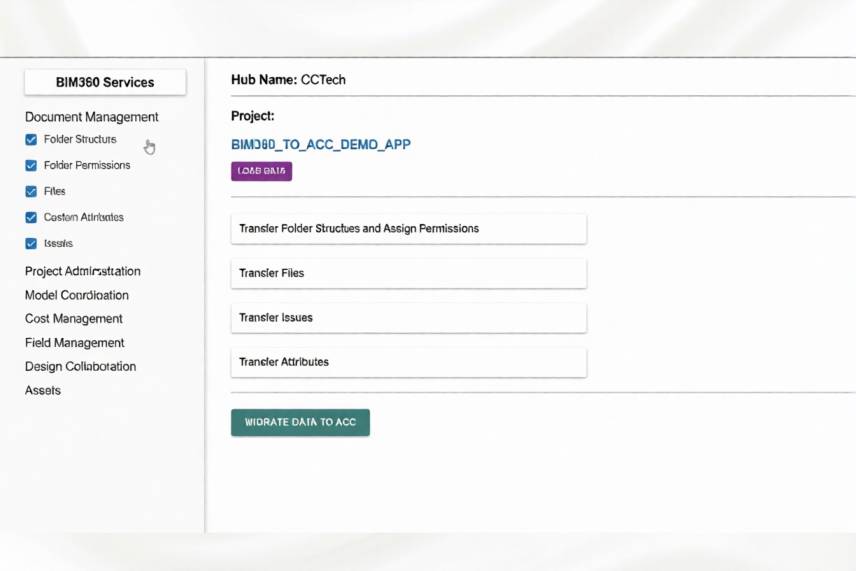
Example: How Metadata Preservation Works

SECURITY & RELIABILITY

Migrated Securely. Delivered On Schedule. Zero Disruption.

Zero Disruption to Live Execution

The migration process is planned so there is no disruption to live project execution.

Optimized for Tight Migration Windows

Execution is optimized to complete within a tight time window, avoiding business disruption.

Secure Ownership Transfer

Project ownership moves securely between Forma subscriptions while preserving data integrity.

WHY CCTECH

Why CCTech for Autodesk Migrations

Cross-Hub and Cross-Region Migration Capability

Secure transfer of project data from one Autodesk hub to another, or from one geography to another, spanning US, EU, and APAC regions.

Built for Long-Term Infrastructure Project Lifecycles

Infrastructure projects run for years and often require several migrations. Our approach is driven by the full lifecycle of the project, not a single cutover.

Ready to Simplify Your Autodesk Migration?

Talk to our migration engineering team about moving your BIM 360 or Forma environment — with zero disruption to the projects running today.